
InkLink
E-Paper Desk Display & Companion AppAn offline e-paper display powered by an ESP8266 microcontroller, paired with a Flutter companion app to wirelessly send photos over local Wi-Fi.
Hardware Showcase

App Showcase
Walkthrough of the Flutter companion app and wireless image transfer.
Technical Stack
Architecture spanning client-side Flutter isolates and low-level C++ embedded firmware.
Mobile Companion
- ✦State Management: Riverpod 2.x with code generation and reactive lifecycle providers.
- ✦Networking (Dio Exclusively): Binary multipart uploads, long-lived SSE stream reader (
ResponseType.stream), and SoftAP credential submission. - ✦Discovery & Provisioning:
wifi_scanandwifi_iot(WifiNetworkSpecifierP2P routing); zero-config local resolution viamulticast_dns. - ✦Image Processing: Isolate-based background worker pipeline using Flutter's
compute()and the Dartimagepackage.
Firmware
- ✦Hardware: ESP8266 (NodeMCU v3) running on 80/160MHz clock.
- ✦Display Driver: GxEPD2 driving a Waveshare 3.97" E-Paper panel over SPI with paged buffer rendering.
- ✦Storage & Persistence: LittleFS for flash binary caching (
/display.bin) + EEPROM for Wi-Fi credentials. - ✦Web Server: Embedded
ESP8266WebServermanaging REST endpoints and real-time Server-Sent Events.
On-Device Image Processing Modes
Real-time algorithmic conversion running in background Dart isolates.
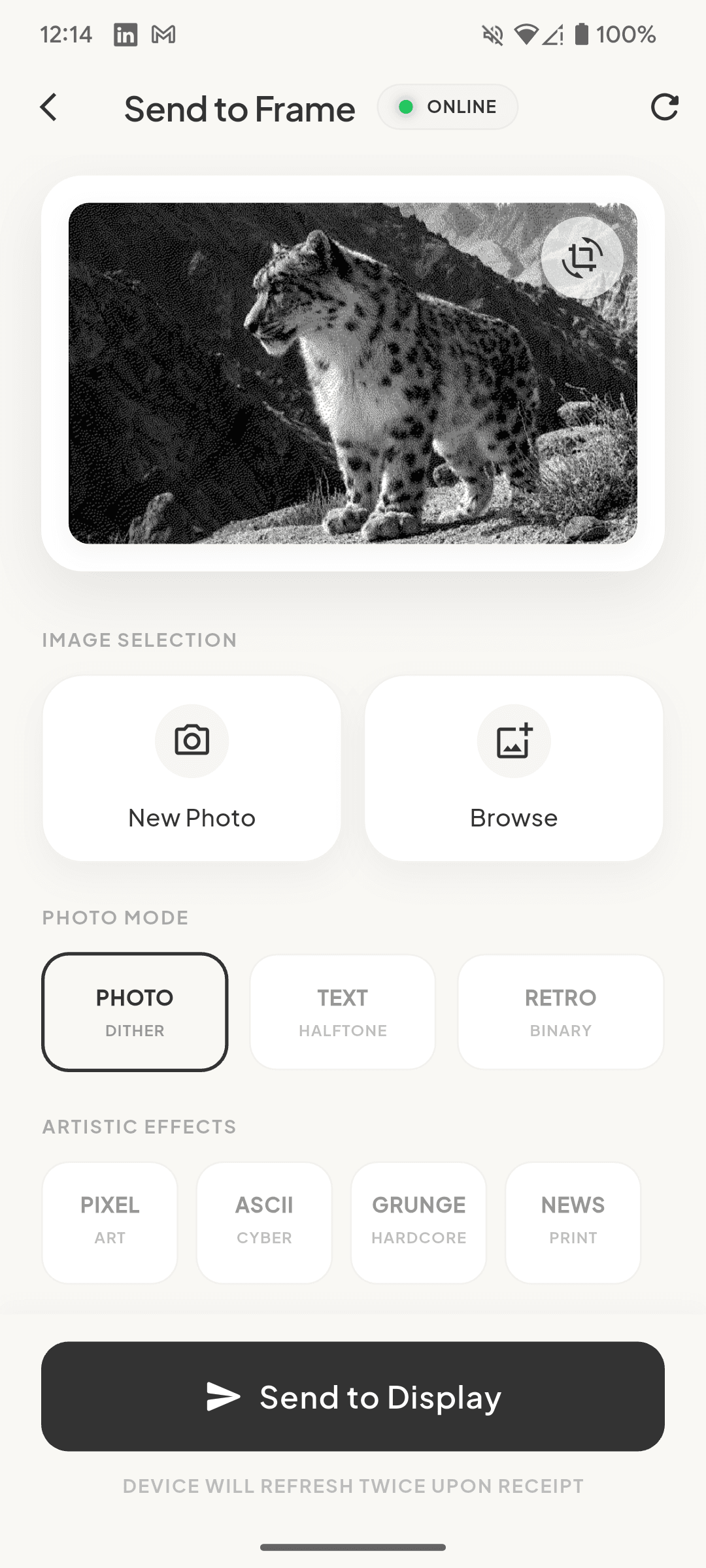
Photo Dither
Smooth grayscale error diffusion for photos, animals, and portraits.
System Architecture & Protocol
The system operates across three phases: local access point provisioning, zero-config mDNS discovery, and a two-stage image transfer protocol with real-time SSE telemetry.
Core Engineering Deep Dives
Low-level implementation details, protocol mechanics, and resource optimization techniques.
SoftAP Provisioning & P2P Socket Routing
Direct hardware socket onboarding bypassing Android captive portal and mobile data routing conflicts.
- ✦If no saved credentials are found in EEPROM on boot, the ESP8266 hosts an open Access Point (InkLink_XXXXXX) on 192.168.4.1:8080.
- ✦The Flutter companion app discovers the AP, programmatically connects using wifi_iot (WifiNetworkSpecifier P2P API on Android 10+), and triggers WiFiForIoTPlugin.forceWifiUsage(true) to route HTTP sockets directly through the SoftAP.
- ✦The app transmits the target home network SSID and password via POST /wifi.
- ✦Firmware writes credentials to EEPROM, safely tears down the SoftAP server asynchronously to prevent heap corruption, and connects to the home router.
- ✦The app restores normal OS routing by calling forceWifiUsage(false).
Client-Side Image Processing Isolate
Offloading Floyd-Steinberg error diffusion and 1-bit binary compression to a dedicated background worker isolate.
- ✦Resizing & Center Cropping: Scales and crops arbitrary photos to the exact 800×480 screen aspect ratio.
- ✦Grayscale & Dithering: Converts RGB channels to luminance, then executes spatial error diffusion (Floyd-Steinberg / Atkinson) to map 256 grayscale levels into 1-bit black and white.
- ✦Bit Packing (8 Pixels / Byte): Packs 8 binary pixels into each byte (MSB first). This compresses the 384KB frame payload down to exactly 48,000 bytes, enabling sub-second wireless transmission.
Two-Stage Upload & Server-Sent Events (SSE) via Pure Dio
Preventing HTTP timeouts during 6-10s e-paper refresh cycles using streaming multipart and real-time SSE progress.
- ✦Stage 1 (Upload): The app POSTs the 48KB binary payload using Dio FormData with onSendProgress mapped to 0%–40% progress bar UI. The ESP8266 streams incoming chunks directly to LittleFS (/display.bin) and returns a unique upload_id.
- ✦Stage 2 (SSE Telemetry): The app opens an unbuffered GET stream (Dio ResponseType.stream) to GET /status-stream?upload_id=X. As the firmware reads the binary file line-by-line and pushes to GxEPD2 over SPI, it emits real-time text/event-stream events, driving progress from 40% to 100%.
Memory Management & SPI/WiFi Coexistence
Operating reliably within ~35–45KB of free heap without triggering ESP8266 watchdog timeouts.
- ✦Paged Display Buffer: GxEPD2 is initialized with a 32-row page buffer (3,200 bytes) instead of allocating a full 48KB monolithic framebuffer in RAM.
- ✦Line-by-Line File Streaming: The ImageRenderer streams 100-byte row chunks from LittleFS into a single recycled heap buffer, drastically curbing memory footprint.
- ✦Task Yielding: The rendering draw loop invokes yield() on every row, keeping the ESP8266 TCP/IP background stack alive and preventing Wi-Fi disconnections during active screen updates.